I can sometimes get hung up on small, seemingly trivial details of things. A perfect example of that is the absolutely stupid “bounce” animation on Liquid Glass on/off toggles in the “26” OSes.
I have been wanting a tidy way to get rid of that annoying nonsense from the moment I first saw it. It’s one of many things about Liquid Glass that annoyed me enough that, as soon as the “27” OS betas were available, I immediately installed them on all of my devices — my Mac, my iPad, and my iPhone. Even though betas can be unstable. I’d rather have instability than the hideous mess that macOS 26, in particular, has been for the past several months.
So anyway, I’m not entirely sure if the “Reduce Motion” option had this particular effect in 26, but in 27, one of the (many) things it changes in the interface is that it removes the bounce. Yes!
I don’t really like some of the other motion reductions, especially the transitions between apps and the home screen in iOS, but I’ll live with it.
Unfortunately, and honestly quite surprisingly, I discovered that one of the things it reduces is animation in web pages. Including animated effects I might be working on within websites I’m building for clients. While in the Block Editor on a site I’m currently building, I noticed the following alert:
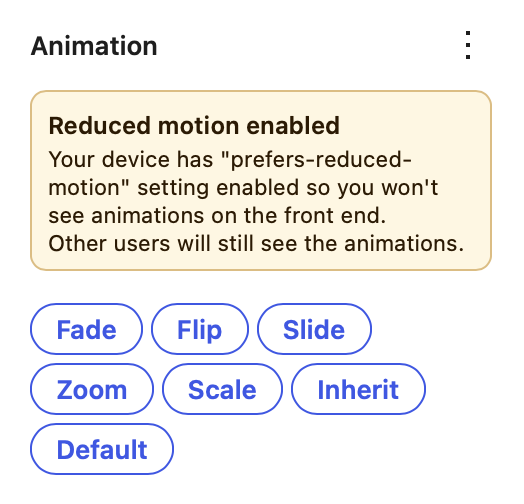
So, in other words, the only way I can get my Mac to not have that dumb bounce effect on OS interface toggles is to turn off my ability to see animated effects I’m creating in websites I’m building.
This is a very small problem in the grand scheme of everything in the world going completely off the rails. And yet, it’s a part of it.
I also don’t like the fact that Pages and Numbers have AI auto-suggested filenames when saving new documents. Just stop.